A data product nobody can find delivers nothing. With the Data Catalog, every published data product in the Intelligenthive® sits in one place: you see what is inside and how reliable it is, and request access from the owner in a single request. That way, the data you already have actually gets used.
20/10/2026Stefan Daelemans
The data platform is live, the first data products have been delivered and quality is under control. And still the question comes in: “Do you know where the revenue figures per customer are?” In many organisations, building data products isn’t the problem; finding them is. Colleagues ask around to find out who manages which dataset, a second team rebuilds the same figures, and an access request sits in someone’s mailbox for days.
A data product only pays off when people can find it, understand it and use it. That is why the Intelligenthive® now has a storefront for data products. With the Data Catalog, you find every published data product, see what is inside and request access from the owner, all in one place.
Every data product in one place
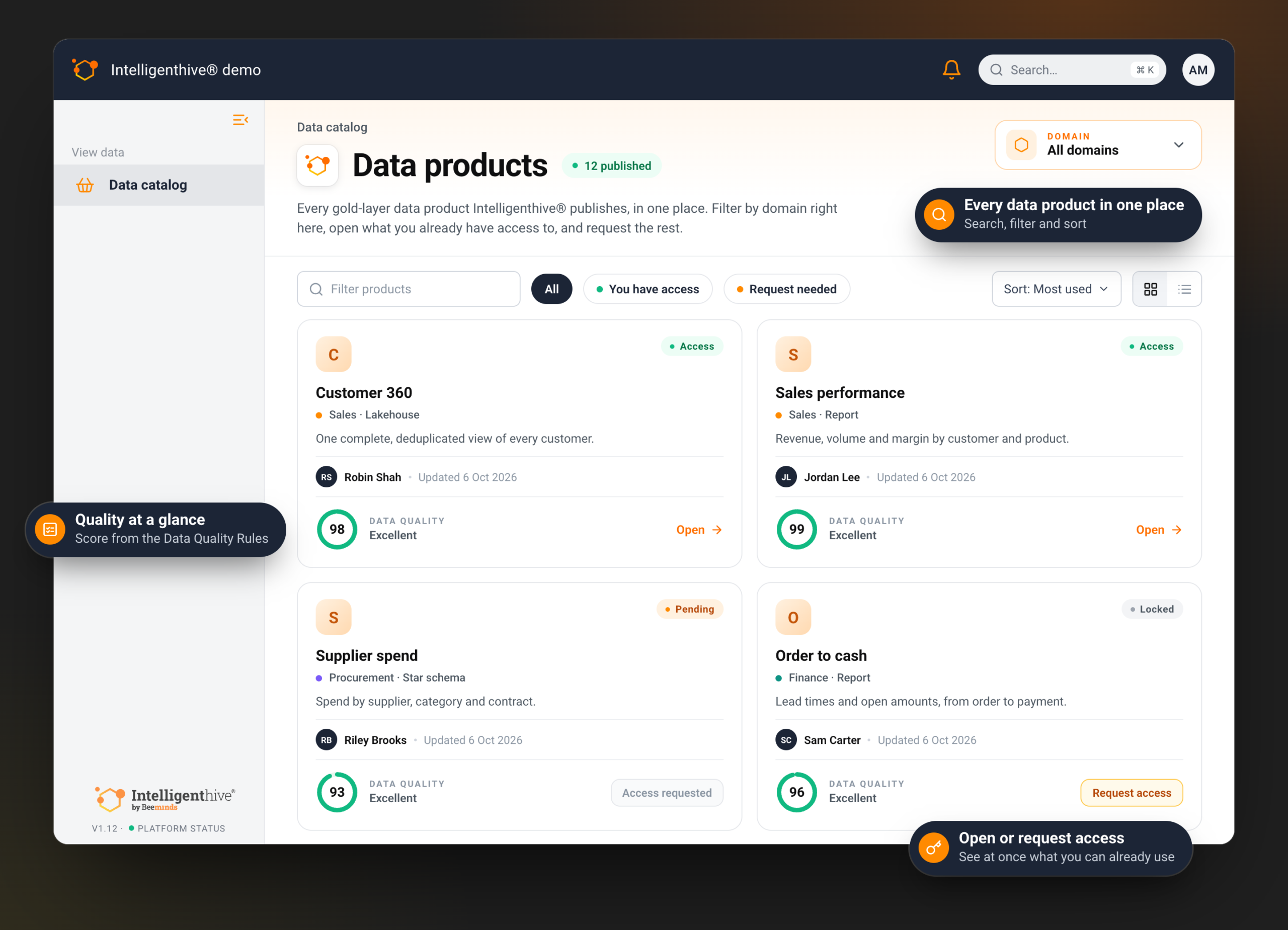
The Data Catalog shows every data product published in the Intelligenthive®, as cards or in a list. You search by name, description or tags and filter by domain, such as Finance or Sales. One click shows what you can already open and what you still need access to. You can sort by most used, recently updated or data quality.
The catalog is there for the people who work with data, not for those who build the platform. Business users get a role of their own that shows them the catalog and nothing else: no pipelines or data models, just everything that is ready to use.
The Data Catalog: every published data product, with its quality score and access status.
See what is inside, and whether you can trust it
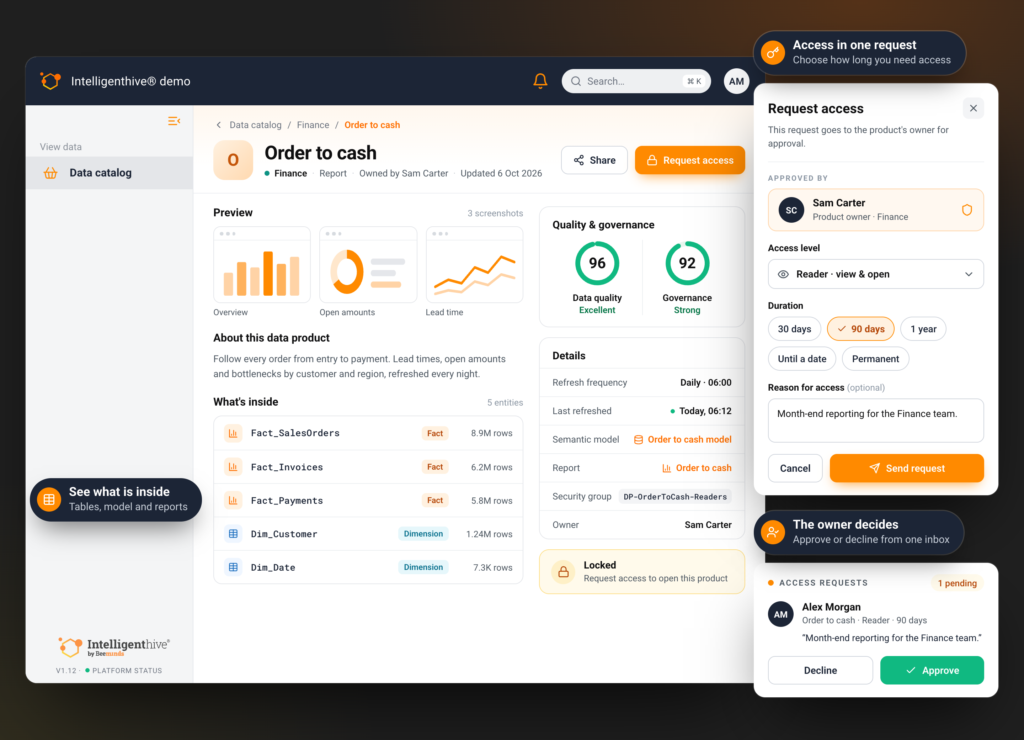
A name alone says little. That is why every data product has its own page, with a description and preview screenshots. You see what is inside: the tables and their size, the semantic model and the related Power BI reports and apps. You also see who the owner is, how often the data is refreshed and when that last happened.
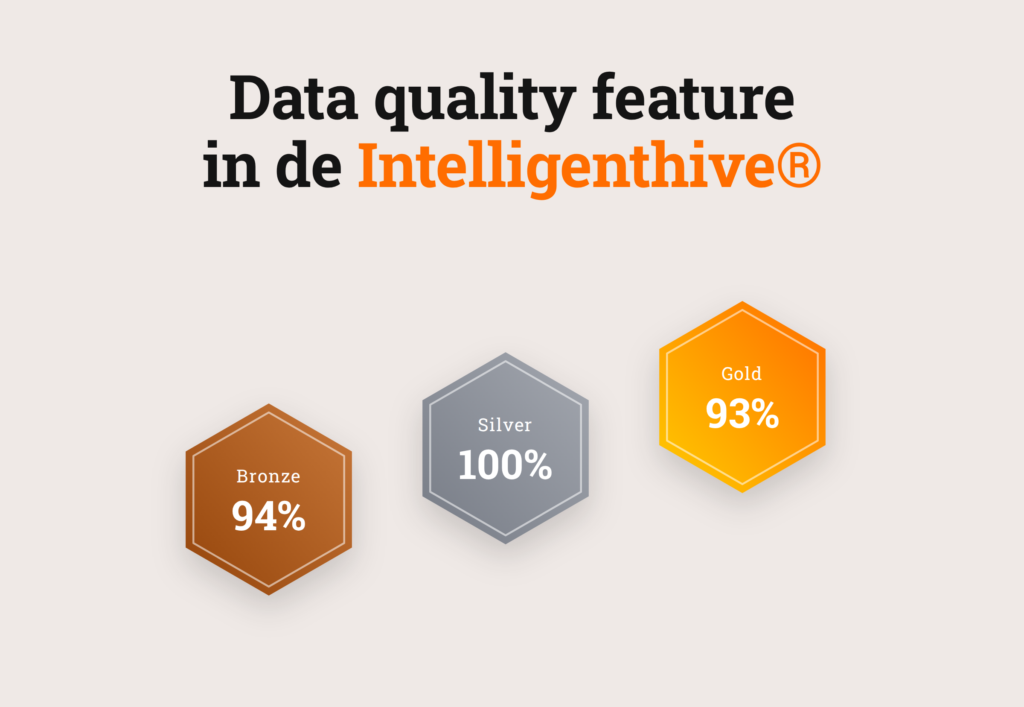
On top of that, you see two scores. The data quality score comes straight from the Data Quality Rules that run on the data product. The governance score shows whether things like ownership and documentation are in order. So you don’t have to guess whether you can build on the figures.
Access in one request
No access yet? Then you request it from the data product itself. You choose how long you need the data (30 days, 90 days, a year, until a set date or permanently) and can briefly explain why. The request goes straight to the owner, who gets an email and handles everything from one inbox:
Approve a request
Decline a request
Revoke access granted earlier
Once a request is approved, the requester is notified automatically. Nobody has to raise a ticket or chase an answer.
One data product in detail: what is inside, the access request and the owner’s decision.
Access that stays correct
Behind that single request sits a tight process. Every published data product gets its own access group in Microsoft Entra. When the owner approves a request, the Intelligenthive® adds the requester to that group. When the chosen period ends, access lapses by itself. So it stays visible who has access, until when and why.
The owner of the data stays in control. They decide what goes into the catalog and check beforehand how a reader will see the data product. The catalog also prevents duplicate work: when a team wants to create a data product that already seems to exist elsewhere, the Intelligenthive® points it out. Requesting access is faster than rebuilding the same figures.
Reports right inside the Intelligenthive®
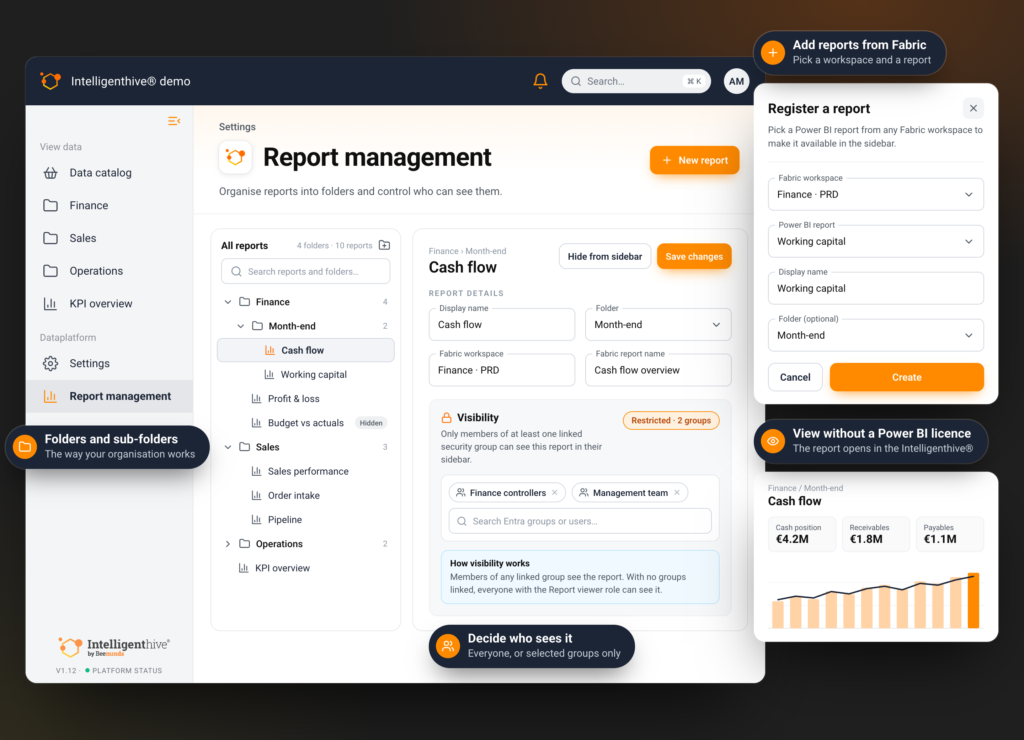
Finding is one thing, opening is another. With Power BI Embedded, you show Power BI reports right inside the Intelligenthive®. Users open them from the platform’s menu and don’t need to go to Power BI. You manage them in one place:
Add reports from your Fabric workspaces and give them a name of your own
Organise reports in folders and sub-folders
Decide per report who sees it: everyone, or only certain users and groups
Hide a report temporarily without deleting it
Row-level security from the report simply stays in force. It also cuts costs: someone who views an embedded report doesn’t need a Power BI licence of their own. You pay for capacity instead of per user. For organisations that want to distribute reports widely among people who only need to view them, that can save a lot of money.
Report management in the Intelligenthive®: folders, visibility per group and adding reports from Fabric.
From findable to used
A good catalog doesn’t mean everyone can get at everything. It means everyone sees what exists, knows whether it can be trusted and reaches the right owner with a single request. A data product then no longer sits unseen in a workspace: it gets used by the people it was built for.
How the Data Catalog in the Intelligenthive® works out for your organisation comes down to your domains, roles and reports, and that’s better shown than told.